

 By
By AI tools for data analysts are becoming one of the most helpful assistants in modern data workflows.
Earlier, data analysts used to spend a large part of their day cleaning messy datasets, writing SQL queries manually, creating Excel formulas, and preparing reports for management.
Professionals working in reporting roles often learn how to convert raw data into professional MIS reports using Excel.
These tasks were essential, but they were also repetitive and time-consuming.
Today, many professionals rely on AI tools for data analysts to simplify those daily responsibilities.
Instead of spending half the day fixing spreadsheet errors or debugging SQL queries, analysts can now use AI to automate parts of their workflow and focus more on interpreting results.
This doesn’t mean artificial intelligence is replacing analysts.
In reality, the opposite is happening. AI is helping analysts become more productive and more strategic in their roles. When routine tasks are automated, analysts have more time to explore data, find patterns, and provide meaningful insights that support business decisions.
Many companies have already started integrating AI into their analytics workflow. From data cleaning and SQL query generation to Excel automation and dashboard creation, AI tools are now part of everyday data work.
If you are learning data analytics or planning to build a career in this field, understanding how data analysts use AI tools in daily work can give you a big advantage.
Discover how data analysts use AI tools in daily work. This guide explains practical examples including SQL queries, Excel automation, dashboards, and data analysis workflows.
Let’s explore seven practical ways analysts are using these tools in real work environments.
1. Cleaning and Preparing Raw Data Using AI Tools
One of the most underestimated parts of data analysis is data cleaning.
Microsoft provides a detailed explanation of the data analysis process, including data collection, cleaning, and insight generation.
Many beginners assume that data analysts spend most of their time creating dashboards or running complex models. However, in reality, a significant part of the work happens even before the actual analysis begins.
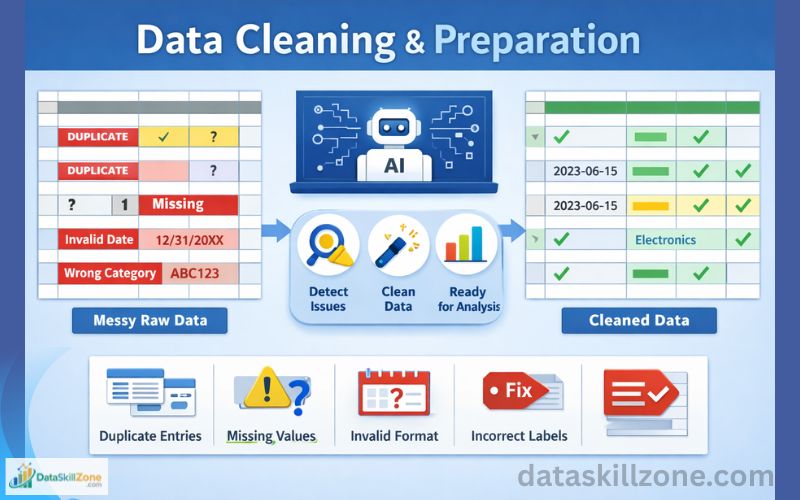
Raw data is often messy.
It may contain:
- Duplicate entries
- Missing values
- Inconsistent formats
- Incorrect labels
Before performing any meaningful analysis, analysts must organize and clean this information.
This is where AI tools for data cleaning can significantly reduce manual effort.
Instead of manually scanning thousands of rows, analysts can use AI-powered tools to detect common data issues automatically.
These tools can quickly highlight problems that might otherwise take hours to find.
Common data problems AI tools can detect
AI-assisted tools can identify issues such as:
- Duplicate records in large datasets
- Missing values in important columns
- Inconsistent formatting in dates or numbers
- Incorrect category labels
- Outliers that may distort analysis results
Example from a real workflow
Imagine a company receiving daily sales reports from different regions. Each regional office might use slightly different formats when recording product names, dates, or customer information.
Without AI assistance, the analyst might spend several hours standardizing these entries before analysis can begin.
With AI tools, the process becomes much faster. The tool can quickly detect duplicate rows, identify missing values, and recommend corrections.
Popular tools analysts use for this task
Some commonly used tools include:
- ChatGPT for suggesting cleaning logic
- Python libraries like Pandas for automated cleaning
- OpenRefine for dataset transformation
Using AI tools in data analysis workflows allows analysts to spend less time fixing data and more time extracting useful insights.
2. Writing SQL Queries Faster Using AI Tools
SQL remains one of the most essential skills for data analysts.
Many organizations keep their data in relational databases, and data analysts use SQL queries to access, retrieve, and analyze that information.
However, writing SQL queries manually can sometimes be time-consuming, especially when working with multiple tables or complex joins.
This is where AI tools for SQL queries can be extremely helpful.
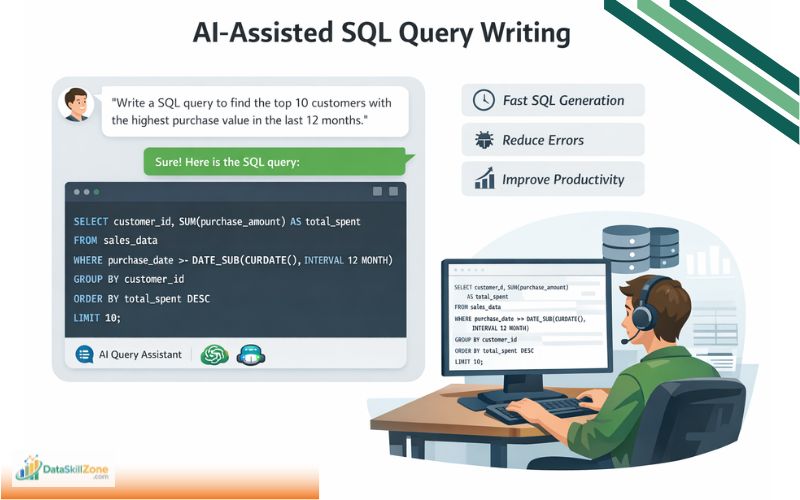
Instead of writing every query from scratch, analysts can describe the data they want to retrieve. The AI tool then generates the appropriate SQL query.
Example request to an AI tool
An analyst might ask:
“Write a SQL query to find out the top 10 customers with the highest purchase value in the last 12 months.”
Within seconds, the AI assistant generates a structured SQL query.
Why this is useful for analysts
Using AI tools for SQL offers several advantages:
- Saves time when writing repetitive queries
- Helps beginners learn SQL syntax faster
- Reduces errors in complex queries
- Speeds up database exploration
Tools commonly used for SQL assistance
Many analysts rely on tools such as:
- ChatGPT
- GitHub Copilot
- AI-powered database editors
For professionals who regularly work with databases, AI tools in data analysis can dramatically improve productivity.
3. Automating Excel Formulas and Spreadsheet Tasks
Even with advanced analytics platforms available, Excel is still one of the most widely used tools in business analysis.
Spreadsheets play an important role in many organizations, especially for budgeting, tracking sales performance, preparing financial reports, and creating MIS reports.
Because of this, analysts often spend hours working with formulas and calculations.
Fortunately, AI tools for Excel automation can help simplify many of these tasks.
Tasks analysts automate using AI in Excel
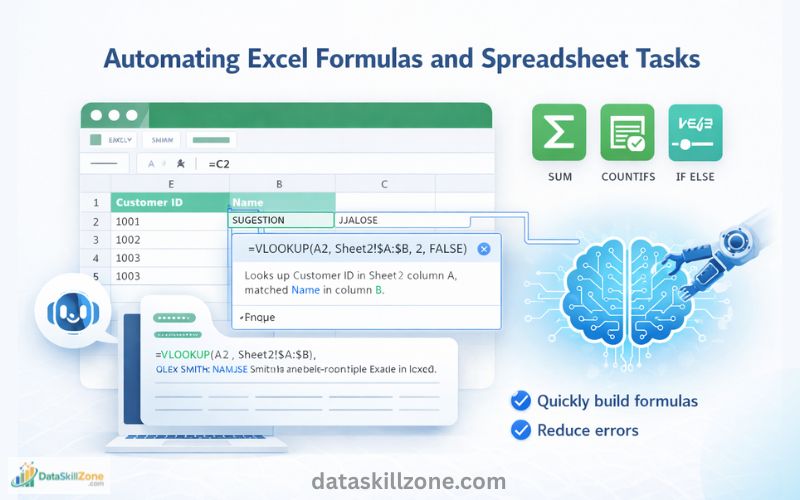
AI tools can help generate formulas for:
- VLOOKUP and HLOOKUP
- INDEX and MATCH
- IF conditions
- SUMIFS and COUNTIFS
- Conditional calculations
Real-world example
Suppose an analyst needs to match customer IDs between two large spreadsheets. Instead of experimenting with different formulas, the analyst can ask an AI assistant to generate the correct formula.
The AI tool quickly suggests the appropriate formula and even explains how it works.
Benefits of AI-assisted Excel work
Using AI tools in Excel workflows helps analysts:
- Build formulas faster
- Understand complex functions more easily
- Reduce spreadsheet errors
- Complete reports faster
For professionals working in reporting roles, AI tools for Excel data analysis can significantly reduce daily workload.
4. Creating Better Data Visualizations and Dashboards
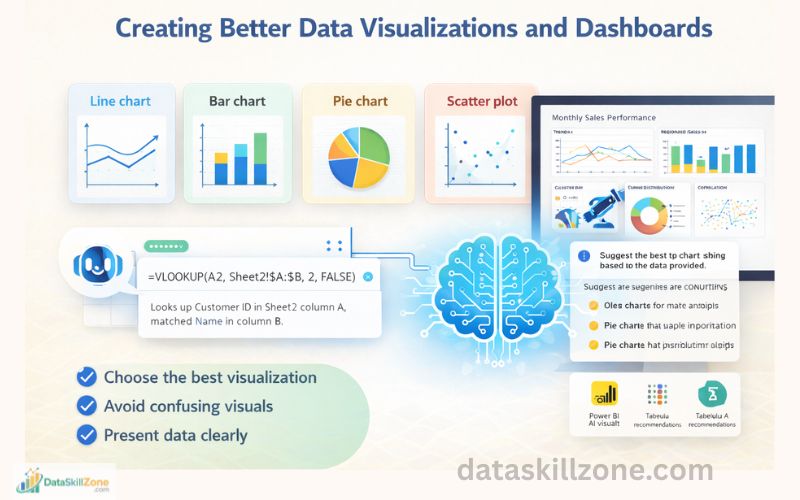
Numbers alone rarely tell a complete story. To communicate insights effectively, analysts need to present their findings in visual formats such as charts and dashboards.
Choosing the right visualization can sometimes be challenging.
A poorly selected chart may confuse decision-makers instead of helping them understand the data.
AI tools can assist analysts by recommending suitable visualizations.
Visualization suggestions AI tools provide
Depending on the dataset, AI might recommend:
- Line charts for trend analysis
- Bar charts for category comparison
- Pie charts for distribution analysis
- Scatter plots for correlation analysis
Example scenario
Suppose an analyst is examining monthly sales performance across several regions.
The AI tool might suggest a line chart to display trends or a clustered bar chart to compare regional performance.
Tools that provide AI visualization suggestions
Popular tools include:
- Power BI AI visuals
- Tableau AI recommendations
- ChatGPT for visualization guidance
Using AI tools for data visualization and dashboards helps analysts present insights in a clearer and more engaging way.
5. Automating Data Analysis Using Python
Python has become a powerful programming language in the analytics field.
Many data analysts use Python to automate repetitive tasks, process large datasets, and perform statistical analysis.
However, writing Python code manually can sometimes take time.
AI tools can help generate Python scripts for common data analysis tasks.
Tasks analysts automate with Python
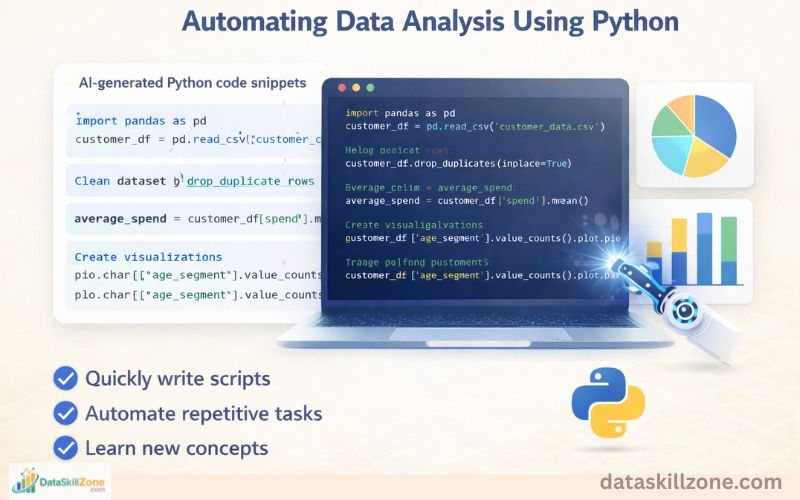
AI-generated Python scripts can help with:
- loading and cleaning datasets
- performing statistical calculations
- generating charts and visualizations
- building automated analysis pipelines
Example workflow
A data analyst analyzing customer behavior may ask AI to generate a Python script that:
- Loads the dataset
- Removes duplicate records
- Calculates average customer spending
- Creates visualizations showing customer segments
The AI assistant can generate most of the code instantly.
Advantages of AI-assisted coding
Using AI tools for Python automation allows analysts to:
- write scripts faster
- learn programming concepts more easily
- automate repetitive analysis tasks
This helps analysts work more efficiently, especially when handling large datasets.
6. Explaining Data Insights to Business Teams
A major part of a data analyst’s role is communication.
After performing analysis, the results must be explained to managers, executives, or other teams.
These stakeholders often prefer simple explanations rather than technical details.
AI tools help analysts convert complex findings into clear summaries.
How AI assists with insight explanations
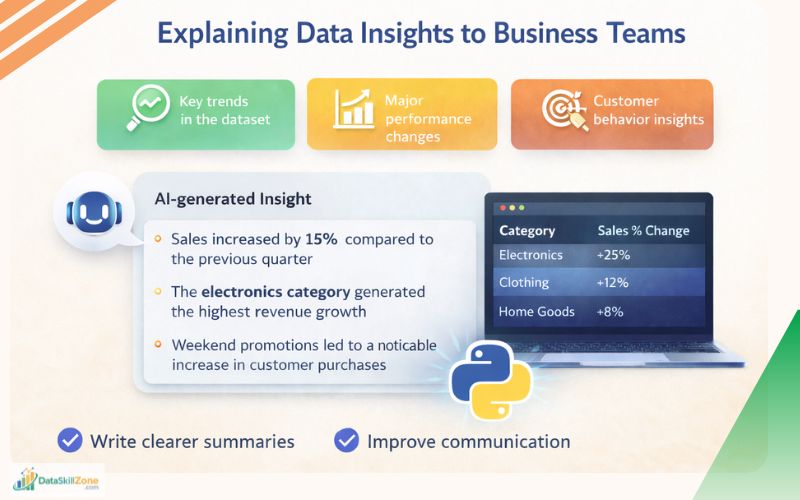
AI tools can generate summaries such as:
- key trends in the dataset
- major performance changes
- customer behavior insights
Example of AI-generated insight
Instead of presenting raw numbers, an AI tool might summarize findings like this:
- Sales increased by 15% compared to the previous quarter
- The electronics category generated the highest revenue growth
- Weekend promotions led to a noticeable increase in customer purchases
Using AI tools for data storytelling allows analysts to communicate insights more effectively.
7. Preparing Reports and Documentation Faster
Reporting is an essential part of many analytics roles, particularly in MIS and business intelligence positions.
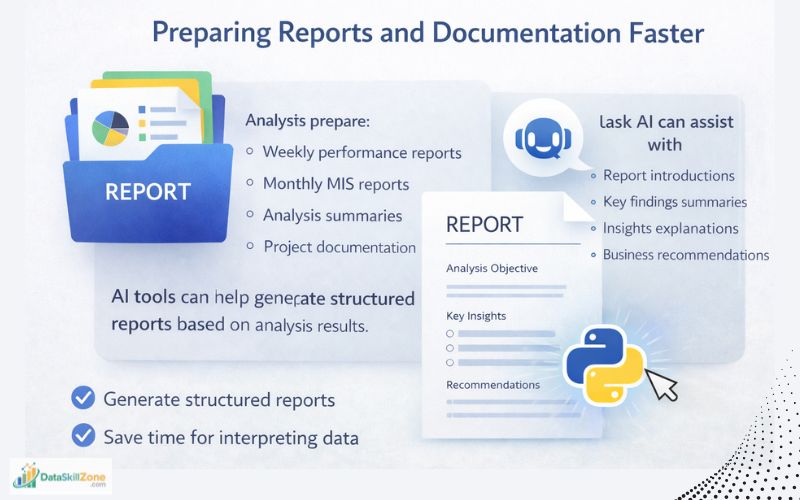
Analysts often prepare:
- weekly performance reports
- monthly MIS reports
- analysis summaries
- project documentation
AI tools can help generate structured reports based on analysis results.
Tasks AI can assist with
AI can help create sections such as:
- report introductions
- key findings summaries
- insights explanations
- business recommendations
Example reporting workflow
After completing a sales analysis, an analyst might ask AI to generate a summary that includes:
- Objective of the analysis
- Key insights discovered
- Recommended business actions
The analyst can then edit the report before sharing it with management.
Using AI tools for business data analysis reporting reduces writing time and helps analysts focus on interpreting results.
8. Practicing Data Analysis With AI Assistance
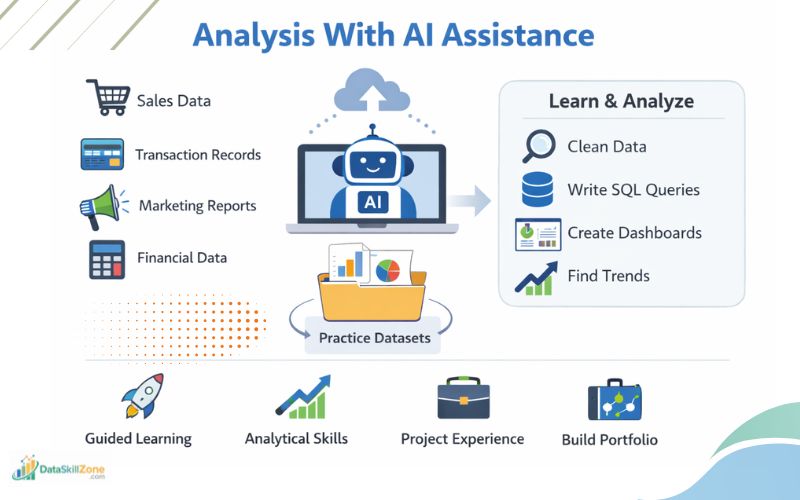
Many beginners struggle because they do not have access to real company datasets.
Fortunately, AI tools can also help analysts practice and improve their data skills.
Instead of waiting for real projects, aspiring analysts can use AI to simulate data analysis scenarios.
For example, an AI assistant can generate:
- Sample sales datasets
- Customer transaction data
- Marketing campaign performance reports
- Financial datasets for practice
Using these datasets, beginners can practice tasks such as:
- cleaning raw data
- writing SQL queries
- building Excel dashboards
- performing trend analysis
AI can also guide learners through the process.
A beginner might ask questions like:
- “What analysis can I perform on this dataset?”
- “Which visualization is best for this data?”
- “How can I find trends in this dataset?”
The AI tool can suggest multiple analysis approaches and explain each step.
Benefits of practicing with AI tools:
- Learn faster through guided practice
- Understand real-world data problems
- Improve analytical thinking
- Build project experience
For aspiring analysts who want to strengthen their portfolios, AI tools for data analytics practice can be extremely valuable.
If you want to practice data skills without real company datasets, you can read our guide on how to practice data skills without real company data.
9. Learning New Data Skills Faster
The field of data analytics evolves quickly.
New tools, techniques, and technologies appear every year.
Because of this, analysts must continuously learn new skills to stay competitive.
AI tools can act as learning assistants for professionals who want to improve their technical knowledge.
For example, analysts can ask AI tools to explain:
- SQL concepts
- Python functions
- data visualization techniques
- statistical methods
Instead of searching through multiple tutorials, analysts can receive clear explanations instantly.
AI tools can also generate small practice exercises.
For example:
“Give me three SQL practice problems for beginners.”
The AI assistant can create questions along with solutions and explanations.
Benefits of learning with AI tools include:
- faster skill development
- instant explanations
- interactive learning experience
For beginners entering the analytics field, AI tools can function as a personal mentor.
Best AI Tools Data Analysts Should Learn
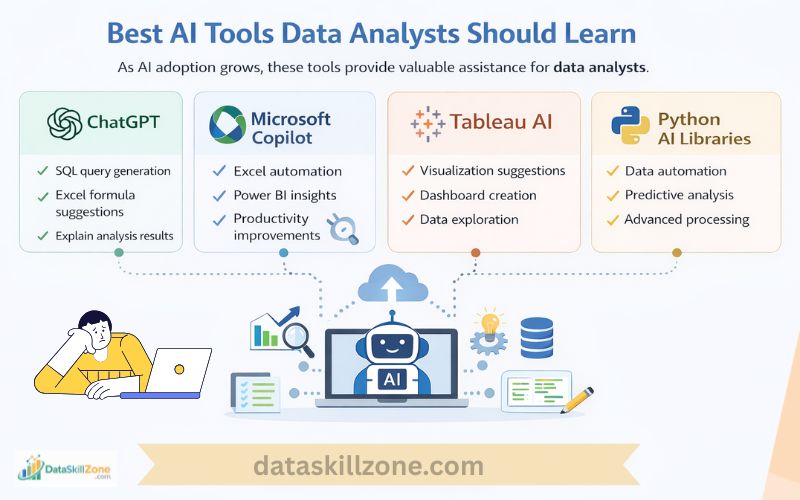
As AI adoption continues to grow, several tools are becoming especially useful for analysts.
Data analytics helps organizations understand patterns, improve decision-making, and extract valuable insights from raw information.
Some of the most popular AI tools for data analysts include ChatGPT, Microsoft Copilot, and Tableau AI :
ChatGPT
Often used for:
- SQL query generation
- Excel formula suggestions
- explanation of analysis results
Microsoft Copilot
Helpful for:
- Excel automation
- Power BI insights
- productivity improvements
Tableau AI
Commonly used for:
- visualization suggestions
- dashboard creation
Python AI Libraries
Used for:
- data automation
- predictive analysis
- advanced data processing
Learning these tools can help analysts improve their workflow and stay competitive in the analytics industry.
Why AI Tools for Data Analysts Are Becoming Essential
AI tools for data analysts are quickly becoming a core part of modern analytics workflows.
As organizations collect larger volumes of data every day, analysts need faster and smarter ways to process, explore, and interpret that information. Traditional methods often require hours of manual work, especially when cleaning datasets, writing SQL queries, or preparing reports.
As companies increasingly rely on data-driven decision making, professionals who understand how to integrate AI tools for data analysts into their workflow gain a significant advantage in the job market.
Some of the key benefits of using AI tools in analytics include:
- Faster data processing – AI tools can analyze and clean large datasets much quicker than manual methods.
- Reduced manual effort – Repetitive tasks such as data formatting, SQL query writing, and report generation can be partially automated.
- Improved accuracy – AI tools help identify errors, inconsistencies, and missing values in datasets.
- Better productivity – Analysts can spend more time interpreting results instead of preparing data.
- Faster learning for beginners – AI assistants help explain concepts like SQL syntax, Python scripts, and statistical methods.
- Enhanced decision support – Businesses receive insights faster, helping teams respond quickly to market changes.
For anyone building a career in analytics, learning how to work with AI tools for data analysts is no longer optional. It is becoming an important skill that helps professionals work smarter, deliver insights faster, and stay competitive in the evolving data industry.
Conclusion
Artificial intelligence is transforming the way analysts work with data.
Instead of replacing professionals, AI tools for data analysts are helping automate repetitive tasks and improve productivity.
From data cleaning and SQL query generation to Excel automation, visualization design, and report preparation, AI tools are becoming an essential part of modern analytics workflows.
However, the real value still comes from human thinking.
Oracle explains how businesses use data analytics to identify trends and improve decision-making across departments.
AI can assist with technical tasks, but analysts are responsible for asking the right questions, interpreting results, and turning data into meaningful business insights.
As technology continues to evolve, AI tools for data analysts will become even more important for professionals who want to work faster and deliver better insights.
For aspiring professionals, learning how data analysts use AI tools in daily work can provide a strong competitive advantage.
Those who combine analytical thinking with AI-powered tools will be better prepared for the future of data-driven decision making.
FAQs
1. What are the best AI tools for data analysts?
Some of the most popular AI tools for data analysts include ChatGPT, Microsoft Copilot, Tableau AI, and Python-based AI libraries. These tools help analysts automate tasks such as writing SQL queries, generating Excel formulas, cleaning datasets, and creating visualizations.
2. How do AI tools for data analysts improve productivity?
AI tools for data analysts improve productivity by automating repetitive tasks like data cleaning, SQL query generation, and report preparation. This allows analysts to focus more on interpreting data and delivering valuable insights to business teams.
3. Can beginners use AI tools for data analysts?
Yes, beginners can easily start using AI tools for data analysts. Many AI assistants can explain SQL queries, suggest Excel formulas, and guide users through data analysis steps. This makes learning data analytics faster and more practical.
4. Are AI tools replacing data analysts?
No, AI tools for data analysts are not replacing professionals. Instead, they act as assistants that help analysts work more efficiently. Human analysts are still needed to interpret results, ask meaningful questions, and make business recommendations.
5. Which tasks can AI tools for data analysts automate?
Many AI tools for data analysts can automate tasks such as:
- Cleaning raw datasets
- Generating SQL queries
- Creating Excel formulas
- Producing data visualizations
- Writing analysis summaries and reports
These capabilities help analysts save time and reduce manual effort.
6. Why should data analysts learn AI tools today?
Learning AI tools for data analysts is becoming an essential skill because modern organizations rely heavily on data-driven decisions. Analysts who understand how to use AI tools can work faster, analyze larger datasets, and provide insights more efficiently.