
 By
By Top free resume builder tools in 2026 have made resume creation much easier than before. If you’ve ever tried making a resume from scratch, you already know how frustrating it can get – alignment issues, spacing problems, and endless formatting fixes.
In 2026, things are much simpler. Resume builder tools have made the process faster and more practical, especially for freshers who just want a clean, job-ready resume.
But here’s the catch – every tool that looks good is not actually useful.
- Some tools add watermarks.
- Some create designs that ATS systems can’t read properly.
- Some are just too fancy for real job applications.
In fact, many job seekers lose opportunities due to simple errors – here’s a detailed guide on common resume mistakes that might be affecting your chances.
In this guide, I’ll walk you through the best resume builder tools that actually work in real-life job scenarios.
No overhype – just practical tools that help you get shortlisted.
Many job seekers rely on the top free resume builder tools in 2026 to create professional resumes quickly without worrying about formatting issues.
Why Resume Builders Are Important in 2026
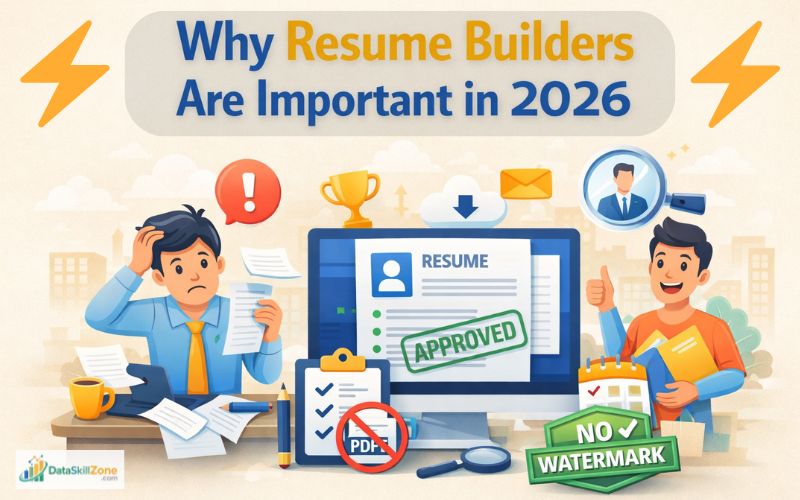
Hiring has changed a lot in recent years. Most companies now use ATS (Applicant Tracking Systems) to filter resumes before a recruiter even looks at them. That means your resume is first read by software, not a human.
Many job platforms like Indeed and LinkedIn use similar systems to manage and filter job applications.
This is where resume builders become useful.
They help you create a properly structured resume without worrying about technical formatting mistakes. Instead of wasting time adjusting margins and fonts, you can focus on writing better content.
In simple words, resume builders save time and reduce errors – both of which matter when you’re applying to multiple jobs.
What Makes a Good Resume Builder?
Not every resume builder is designed for real job applications. Some tools focus more on design than functionality, which can actually hurt your chances.
A good resume builder should help you create a clean, readable, and ATS-friendly resume. It should guide you without overcomplicating things and allow easy edits whenever needed.
Before choosing any tool, always check if it meets these basics:
✔ ATS Compatibility
- Your resume should be readable by systems without breaking structure or text alignment.
✔ No Watermark (Important)
- A resume with branding looks unprofessional and should be avoided.
✔ Clean Design
- Simple and structured resumes are easier for recruiters to scan quickly.
✔ Easy Editing
- You should be able to update your resume anytime as your skills grow.
✔ Export Options
- PDF format is important to keep your layout consistent everywhere.
Top Free Resume Builder Tools in 2026
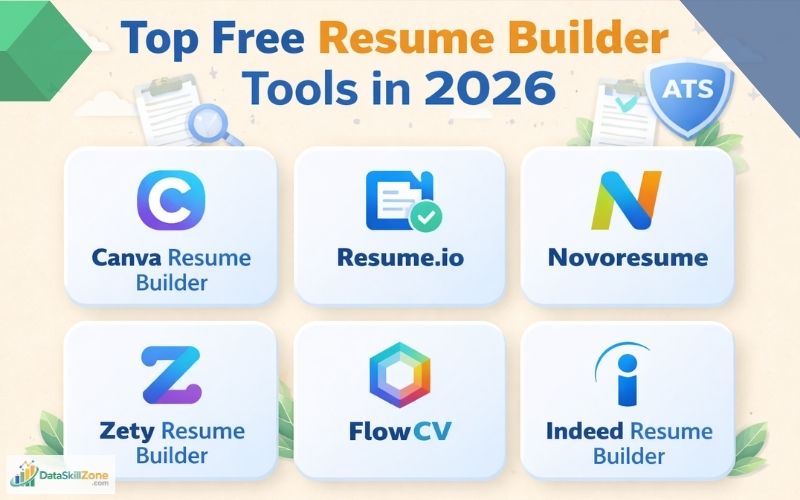
There are many tools available online, but only a few are actually useful for job seekers. Below are some tools that are practical, simple interface, and widely trusted.
1. Canva Resume Builder
Canva Resume Builder is one of the easiest tools for beginners, especially if you want to create visually appealing resumes without any design experience.
Canva is popular because it’s extremely beginner-friendly. You don’t need any design knowledge to create a decent resume.
You can easily adjust colors, fonts, icons, and layout to match your personal branding or the company style you’re applying to. It also provides elements like charts, icons, and section dividers that help make your resume look more structured and modern.
However, the key is to avoid overly creative templates.
Pros:
- Very easy to use
- Good template variety
- Quick resume creation
Cons:
- Some templates are not ATS-friendly
- Easy to overdesign your resume
Overall, Canva is a great choice if you want a resume that stands out visually- especially when applying directly via email or for creative-friendly roles – but it should be used smartly to balance design and professionalism.
👉 Tip: Always choose a simple template with minimal graphics.
2. Resume.io
Resume.io is a powerful and professional resume builder designed for users who want an ATS-friendly and recruiter-focused resume without spending too much time on formatting.
It guides you step-by-step, which is helpful if you’re not sure what to write. It gives you a clear structure and reduces confusion while building your resume.
Pros:
- Guided resume creation
- ATS-friendly templates
- Clean layout
Cons:
- Limited free downloads
- Some features require payment
The platform provides pre-written content, keyword suggestions, and AI-generated phrases that help you write strong summaries and bullet points.
You can even paste a job description, and the tool will optimize your resume with relevant keywords to improve your chances of passing ATS filters.
Overall, Resume.io is an excellent choice if your main goal is to create a clean, professional, and ATS-friendly resume quickly; especially for corporate roles like data analyst, MIS executive, or fresher-level jobs.
👉 Good choice if you want a ready-made format.
3. Novoresume
Novoresume is a well-balanced resume builder that focuses on combining modern design with professional structure.
Novoresume is more focused on clarity and professionalism.
It works well for corporate roles where content matters more than design.
The platform walks you step by step through each section like summary, experience, skills, and education while giving real-time suggestions and pre-written examples.
This is very helpful for beginners who are not sure what to write, as it improves both content quality and structure.
Pros:
- Clean and structured templates
- Helpful content suggestions
- ATS-friendly design
Cons:
- Limited free version
- Premium features locked
Novoresume is a great choice if you want a resume that is both professional and visually appealing, with strong guidance during the writing process.
It works especially well for freshers, data analysts, and corporate roles provided you keep the design clean and avoid unnecessary elements.
👉 Ideal for serious job seekers.
4. Zety Resume Builder
Zety Resume Builder is one of the most popular resume-building tools, especially for beginners who want a guided, step-by-step process to create a professional resume quickly.
It focuses heavily on content quality, ATS optimization, and ease of use rather than just design.
It is useful if you struggle with writing your resume content. It provides suggestions that help you phrase your experience better.
Pros:
- Strong writing assistance
- Easy to edit
- Good structure
Cons:
- Download requires payment in most cases
- Limited free access
Zety also offers ATS-focused templates and tools.
You can check your resume score, improve formatting, and optimize it for Applicant Tracking Systems. Many templates are designed to be clean and readable, helping your resume pass initial screening stages.
Additionally, it includes extra features like a built-in cover letter generator, resume checker, and the ability to upload and improve your old resume.
These features make it more of a complete job application toolkit rather than just a resume builder.
👉 Useful for improving content quality.
5. FlowCV
FlowCV is a modern, user-friendly resume builder that focuses on simplicity, speed, and clean professional output – making it a great choice for beginners as well as experienced job seekers.
Unlike many other tools, it allows you to create and download your resume completely free (with no watermark) and even update it multiple times without restrictions.
The platform also offers 50+ professional templates that are clean, modern, and customizable based on your job role.
FlowCV is simple, clean, and practical. It focuses on what actually matters – readability and structure—without unnecessary design elements.
Pros:
- Completely free downloads
- ATS-friendly templates
- Simple interface
Cons:
- Limited design options
FlowCV is one of the best choices if you want a neat, ATS-friendly, and completely free resume builder with a smooth editing experience.
It’s ideal for freshers and professionals who prefer simplicity over heavy design while still maintaining a modern look.
👉 Best option if you want a free and effective resume.
6. Resume Builder by Indeed
Indeed Resume Builder is a simple and beginner-friendly resume tool that is directly integrated with one of the world’s largest job portals.
It is mainly designed for quick resume creation and fast job applications rather than advanced design or customization.
It is straightforward and connected directly to job listings. It’s not fancy, but it helps you apply quickly.
Once you create your resume on Indeed, it gets stored in your profile, allowing you to apply to jobs with just one click. You can directly apply to thousands of jobs through Indeed, making the process faster and more efficient..
This saves a lot of time, especially when applying to multiple roles daily.
In fact, the platform uses simple formats to ensure resumes can be processed by most Applicant Tracking Systems.
Pros:
- Fast resume creation
- Easy job integration
- Simple format
Cons:
- Basic design
- Limited customization
Overall, Indeed Resume Builder is a great option if your goal is quick resume creation and fast job applications, especially for entry-level roles.
But if you want a highly customized, ATS-optimized, and impactful resume, you should consider combining it with other tools like Canva, Zety, or FlowCV for better results.
👉 Best for applying to multiple jobs quickly.
These are some of the best free resume builder tools in 2026 that actually work in real job scenarios.
Free vs Paid Resume Builders: Which One Should You Choose?
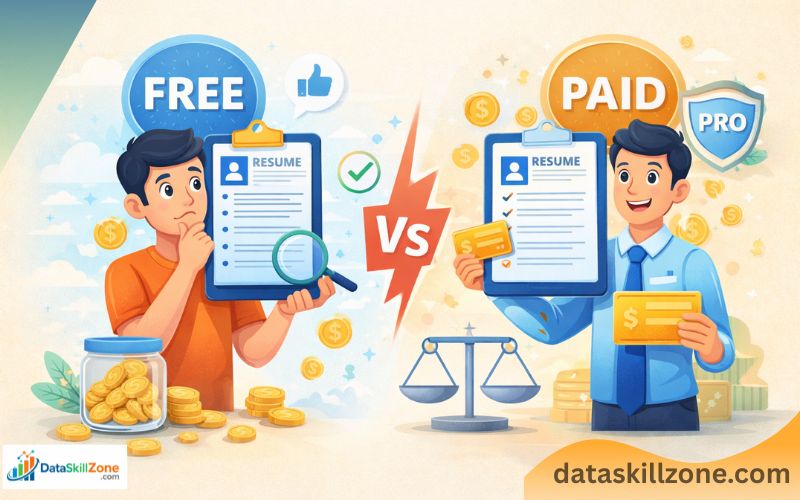
Many people think paid tools are always better, but that’s not true. It depends on your situation and what you actually need.
If you are a fresher, free tools are more than enough to create a strong resume.
Paid tools only add extra features, not guaranteed results.
🟢 Go for FREE if:
- You are just starting out
- You need a simple resume
- You are applying for entry-level roles
🔴 Consider PAID if:
- You want premium templates
- You need more customization
- You are targeting high-level roles
👉 Focus on content quality, not tool pricing.
Which Resume Builder Is Best for Data Analyst Roles?
For data analyst roles, your resume should clearly show your skills and projects. A cluttered or overly designed resume can reduce readability.
You need a tool that allows you to highlight Excel, SQL, and visualization tools properly without making the resume look crowded. If you’re preparing for a data role, check our complete guide on preparing a data analyst resume.
Choosing from the top free resume builder tools in 2026 depends on your career goals and the type of role you’re targeting.
✅ Best picks:
- FlowCV
- Novoresume
- Resume.io
These tools help you maintain clarity while keeping your resume ATS-friendly.
Common Mistakes to Avoid While Using Resume Builders
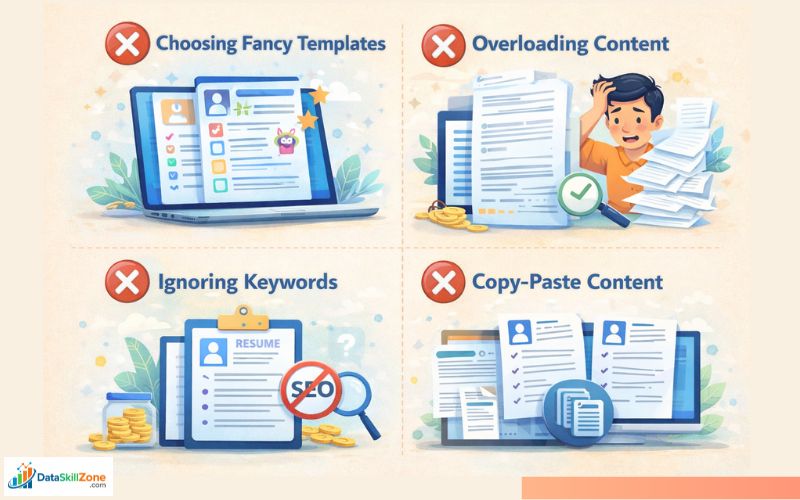
Even good tools can’t fix poor choices.
Many candidates make small mistakes that reduce their chances of getting shortlisted.
Avoiding these mistakes can instantly improve your resume quality.
❌ 1. Choosing Fancy Templates
- Simple resumes always perform better in real job scenarios.
❌ 2. Overloading Content
- Too much information makes your resume hard to read.
❌ 3. Ignoring Keywords
- Keywords help your resume pass ATS filters.
❌ 4. Copy-Paste Content
- Your resume should reflect your own skills and experience.
How to Use Resume Builders Effectively (Step-by-Step)
Using a resume builder is easy, but using it correctly makes a big difference. A structured approach helps you create a better resume.
Step 1: Choose a Clean Template
- Pick a simple and readable layout with clear headings and minimal design to ensure your resume is easily readable by both recruiters and ATS systems.
Step 2: Add Basic Information
- Add your basic information clearly, including your full name, phone number, professional email, and LinkedIn profile to make it easy for recruiters to contact you.
Step 3: Write a Strong Summary
- Keep it short and relevant that briefly highlights your key skills, experience, and career goals to quickly show recruiters why you’re a good fit for the role.
Step 4: Add Skills
Focus on job-related skills only that match the job description, including both technical and soft skills, to show recruiters you meet the role requirements.
Step 5: Include Projects
- Projects are very important for freshers that demonstrate your practical skills and real-world problem-solving ability.
Step 6: Optimize for ATS
- Use relevant keywords from the job description and keep the formatting simple and structured.
Step 7: Download as PDF
- Ensure the formatting, layout, and fonts remain consistent across all devices, making it look professional and easy for recruiters to review.
My Final Advice
Resume builders are just tools – they don’t guarantee selection.
What matters is how clearly you present your skills and experience.
A simple and well-written resume will always perform better than a fancy but unclear one.
Resume builders make the process easier, but your approach still matters. The goal is not just to create a resume, but to create one that gets shortlisted.
Keep it simple, clear, and focused on your strengths. Avoid unnecessary design elements and prioritize readability.
With so many options available, many job seekers wonder whether the top free resume builder tools in 2026 are actually worth using. The answer depends on your expectations and how you use these tools.
Quick Recommendation
If you are confused where to start:
👉 FlowCV – Best free and ATS-friendly option
👉 Canva – Best for beginners
Start simple and improve your resume step by step.
Now that you understand the best tools and strategies, let’s answer some common questions job seekers have
FAQs – Resume Building
1. What is the best resume format for freshers?
The reverse-chronological or combination format works best, as it highlights your skills, education, and projects clearly.
2. How long should a resume be?
A resume should ideally be one page for freshers and up to two pages for experienced professionals.
3. What are ATS keywords in a resume?
ATS keywords are important terms from the job description (skills, tools, job titles) that help your resume get shortlisted.
4. Can I use the same resume for every job?
No, you should customize your resume for each job by matching it with the specific job requirements.
5. Is PDF the best format to send a resume?
Yes, PDF is usually the best format because it keeps your resume layout and formatting consistent.
6. How to Choose the Top Free Resume Builder Tools in 2026
If you are a fresher, focus on tools that provide simple templates and easy editing options. You don’t need complex designs- clarity and structure matter more. For experienced professionals, choosing a tool with better customization and content suggestions can make a difference.
7. Are Top Free Resume Builder Tools in 2026 Really ATS-Friendly?
Many of the top free resume builder tools in 2026 claim to be ATS-friendly, but not all of them perform equally well in real job scenarios.
1 Comment